Automatic closing
Overview
Beyond abnormal consumption threshold which informs when an abnormal consumption occurs, this feature allows the users of a FLOWBOX to activate the automatic closing of their water network on the following basis:
- on a water consumption duration criteria,
- on a water consumption volume criteria.
Both criteria can be enabled/disabled independently.
The automatic closing of the water network is triggered:
- for water consumption duration: when the abnormal consumption duration threshold plus a margin in seconds is exceeded,
- for water consumption volume: when the abnormal consumption volume threshold plus a margin in unit of volume is exceeded.
Theses margins can be defined in the Zone's profile.
Once the automatic closing is triggered, the valve is closed, and the automatic closing mode is active. No action is allowed till the issue is fixed.
Premium plans only
This feature requires a premium subscription.
Abnormal consumption thresholds relation with automatic closing
Automatic closing requires abnormal consumption threshold to be set (ie > 0). If not, abnormal consumption threshold is disabled and thus automatic closing is disabled also.
How to enable the automatic closing ?
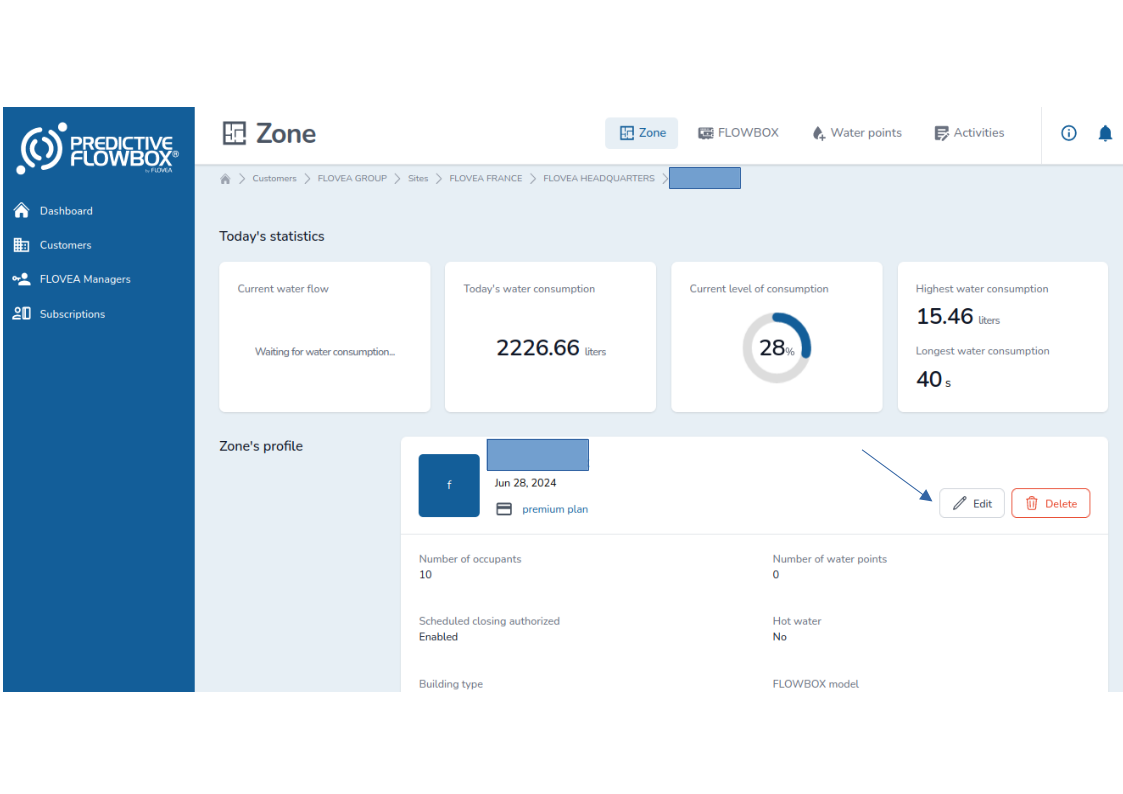
To enable the automatic closing, you need to go to the zone the Flowbox is attached to, and edit the zone's profile.
For that, click on the "Edit" button:
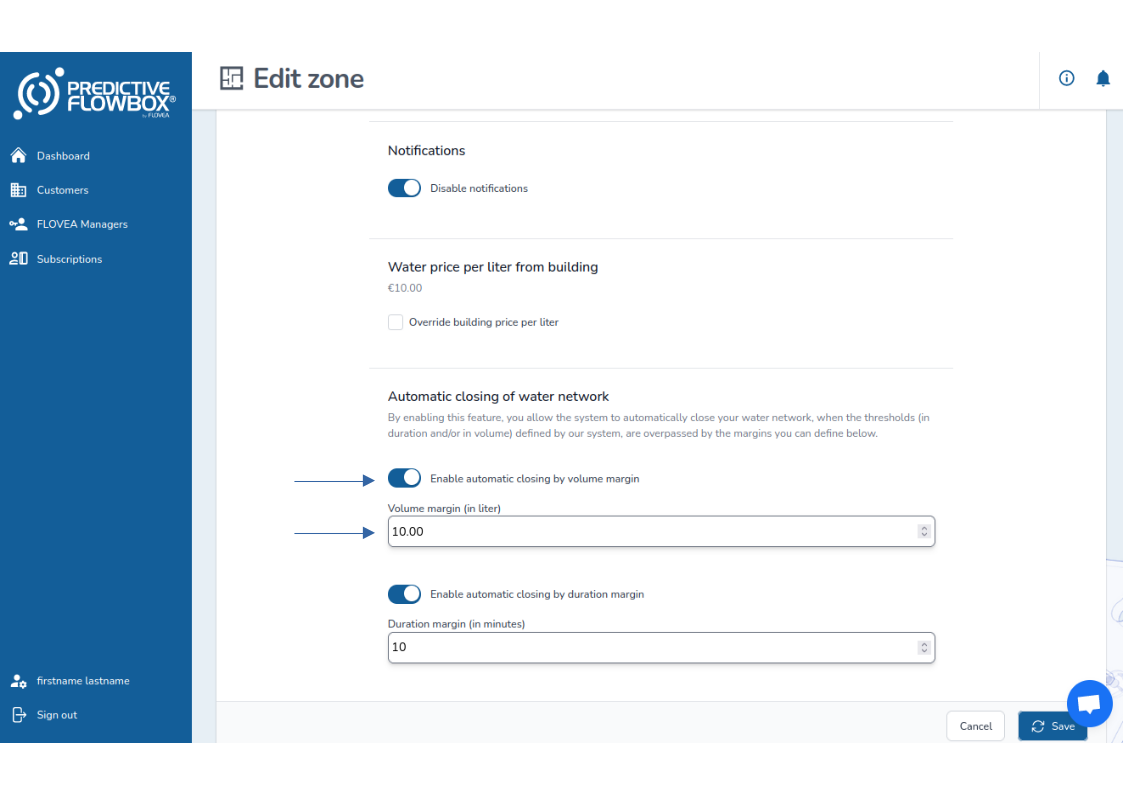
To enable automatic closing based on volume:
- Click on "Enable automatic closing by volume margin" toggle
- Set the volume margin in the volume unit
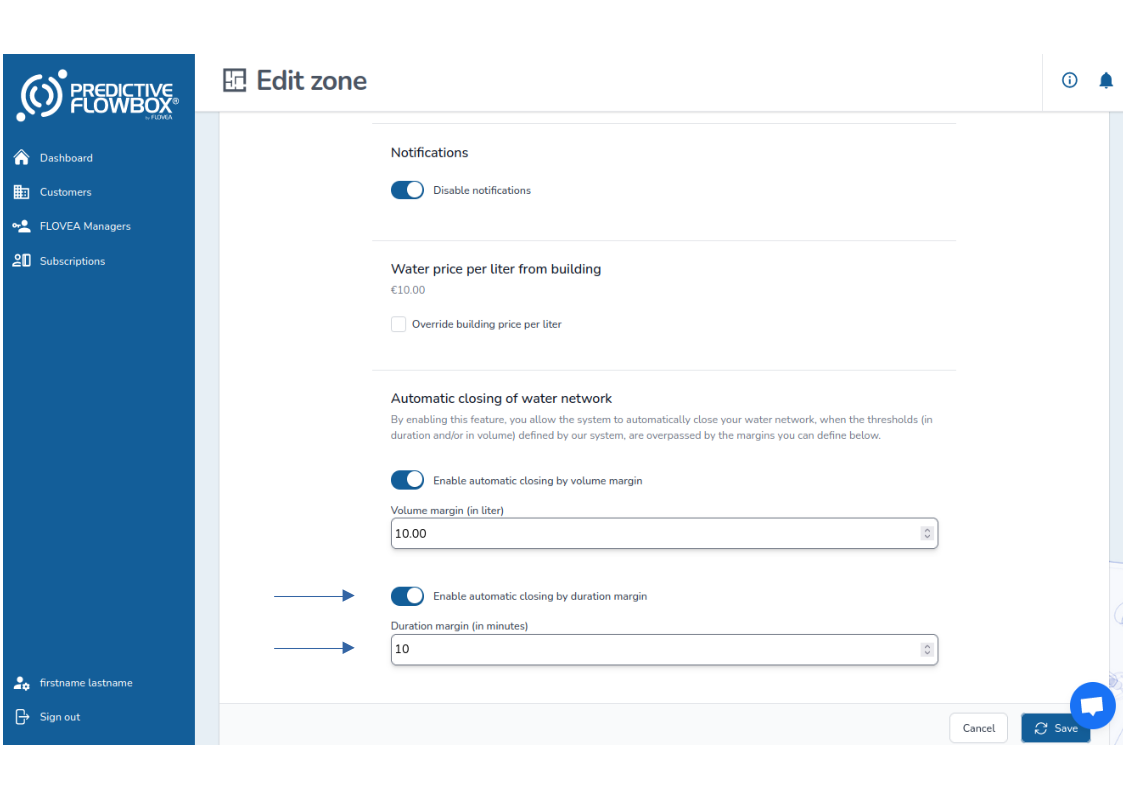
To enable automatic closing based on duration:
- Click on "Enable automatic closing by duration margin" toggle
- Set the duration margin in minutes
You can either enable only one of the two or both at the same time depending on your needs.
Each rule is evaluated independantly and the first one which passes the margin will trigger the automatic closing.
Then click on "Save" at the bottom right corner of the page to save and apply your rules.
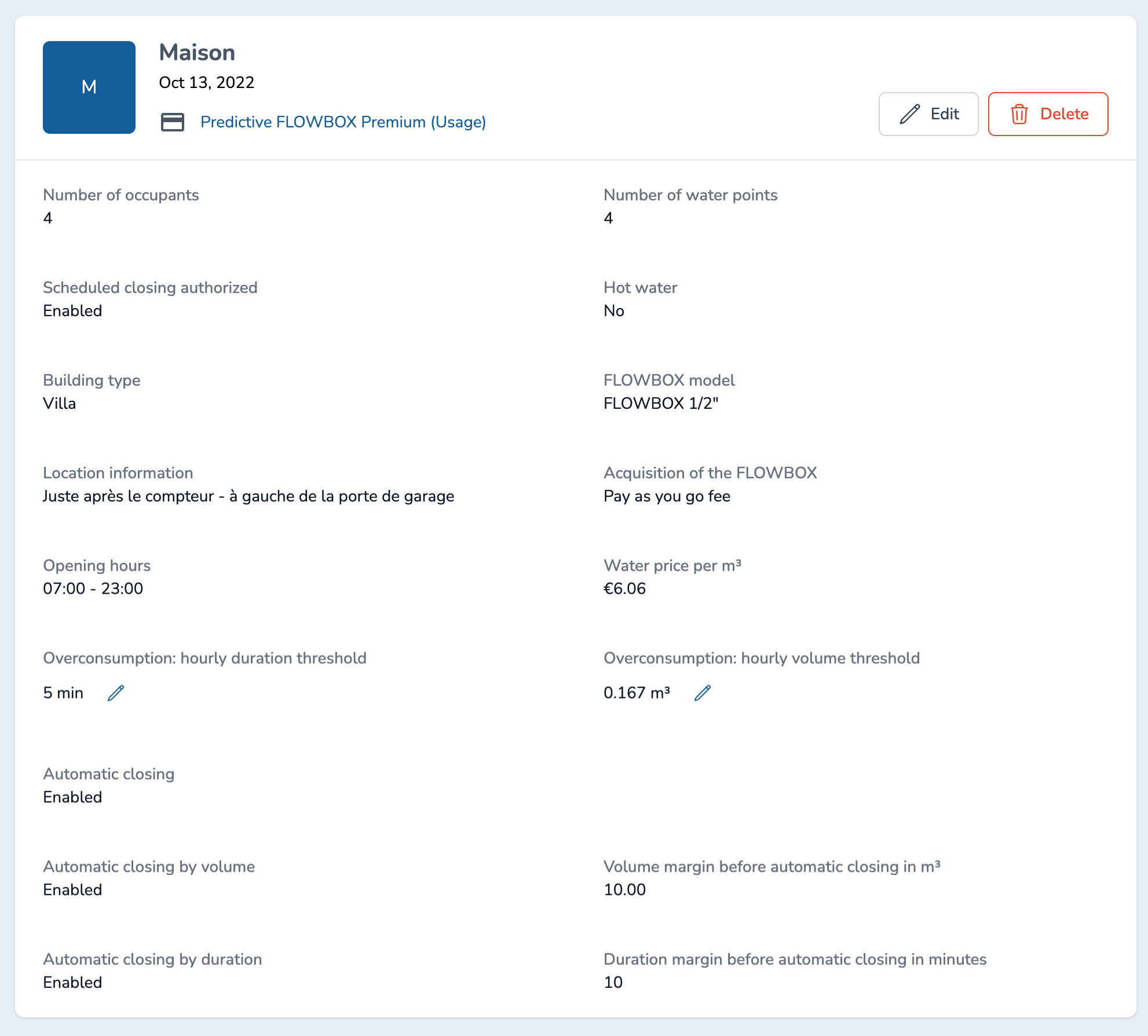
You can view your values and the automatic closing mode status in the Zone's profile.
How to exit the automatic closing mode ?
Once the automatic closing is triggered:
- the valve is closed,
- the automatic closing mode is active,
- no action is allowed and scheduled closing are disabled.
Once you checked your building is safe and that there is no leak, then you can exit the automatic closing mode.
Go to the given Zone and click on the "FLOWBOX" tab.
Then click on the toggle on the line "Automatic closing in progress" and confirm your choice.
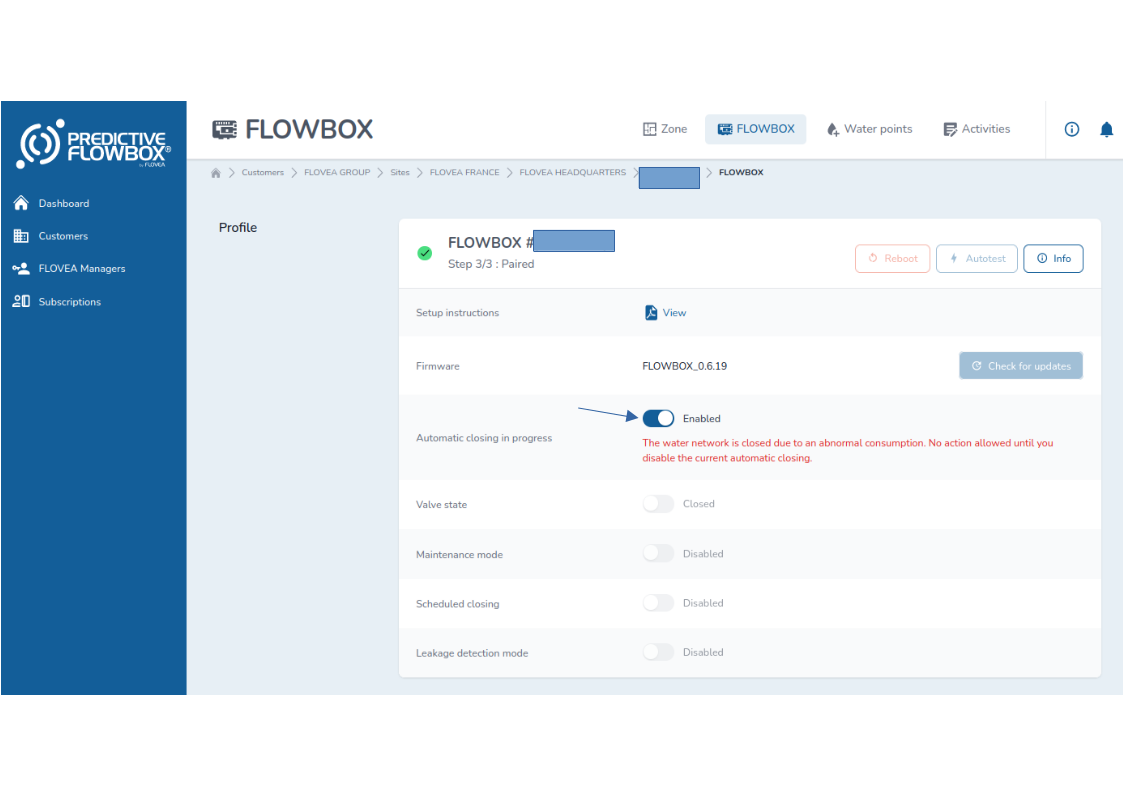
Once you exited the automatic closing mode, you will be able to reopen the valve of your Flowbox.
From the same page, click on the toggle of the "Valve state" to switch the state to "Opened"
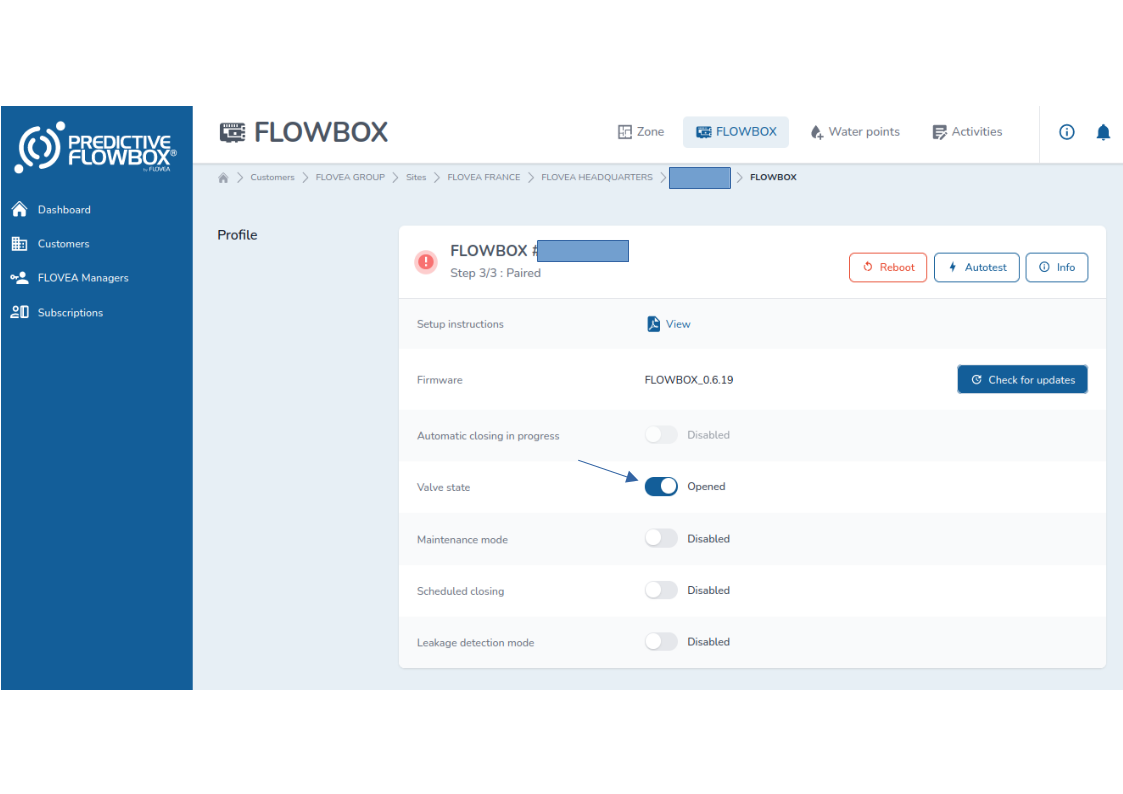
Beware of opening too quickly your water network
Please check carefully your water network before opening it again.
Automatic closing control disabled for one hour for volume margin
Once you exit the automatic closing mode, automatic closing control will not occur during one hour to avoid that previous water consumption will enforce water network closing whereas the issue is fixed.
Exiting the automatic closing mode vs Opening the valve
It is two different actions as you may close the alert but the maintenance operation is still on going. So to prevent any damages, it requires two actions to reopen the network. First to exit the automatic closing mode and then to open the valve.