Plans and Subscriptions
Plans
Overview
Plans are offers that define the features and capabilities available for a Subscription.
You can access them from Subscriptions menu in the left sidebar and click on the "Pricing plans" button on the top right corner of the page.
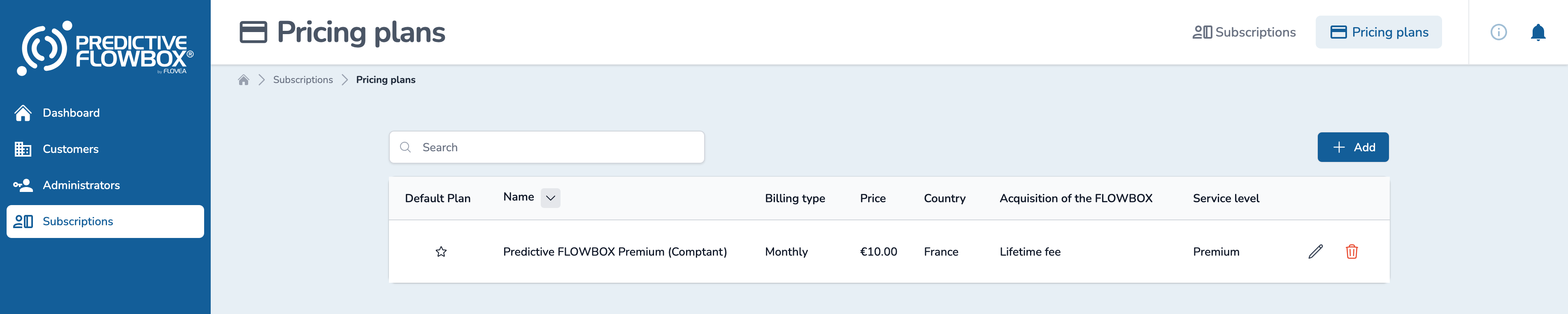
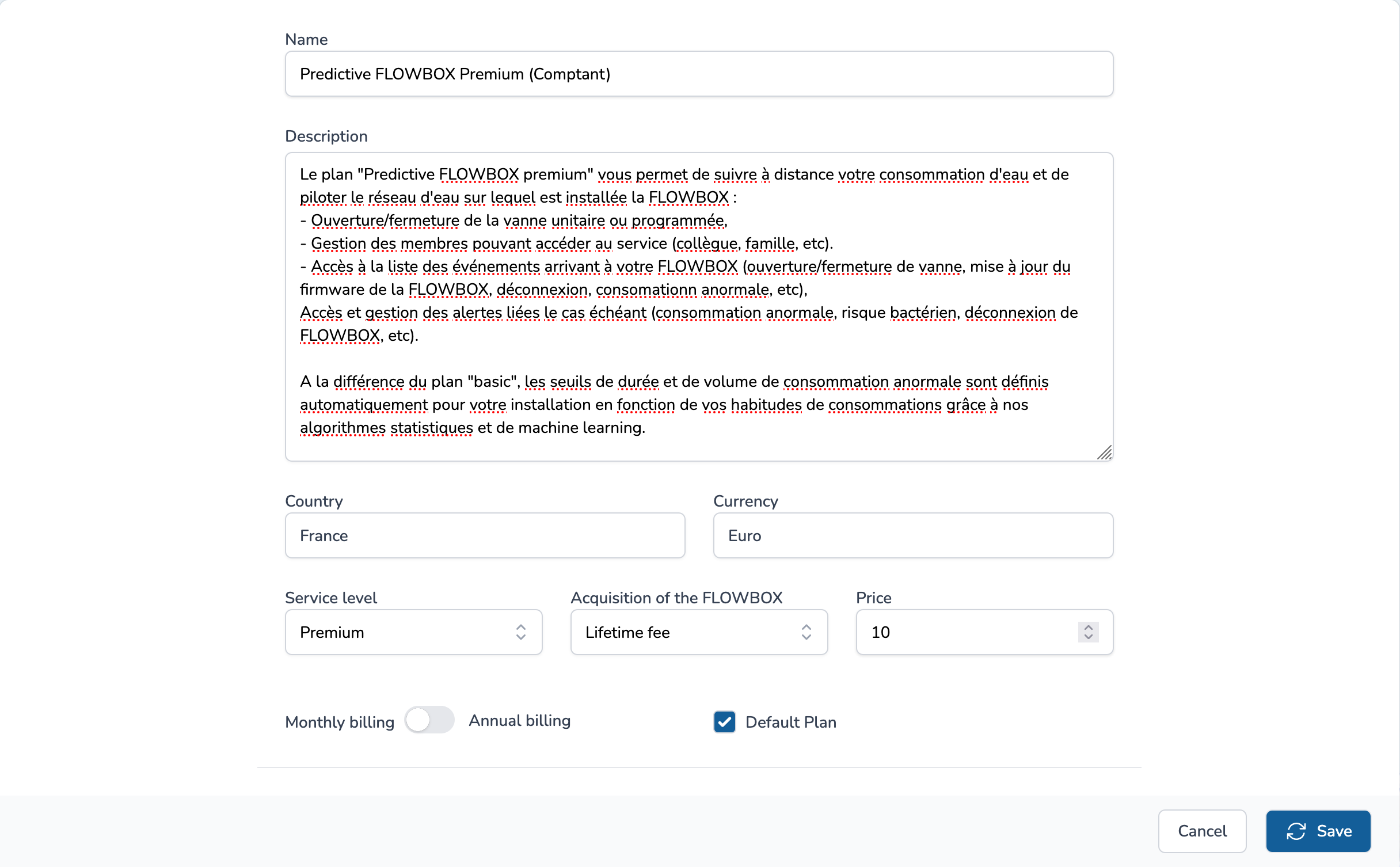
A Plan is describred as follows:
- a name,
- a description,
- a price,
- a country : the country where the Plan is available,
- a currency : the currency of the Plan,
- a service level : the service level of the Plan : Basic or Premium
- a flowbox acquisition type : the flowbox acquisition type of the Plan, either Lifetime fee or Pay as you go fee,
- a billing recurrence : the billing recurrence of the Plan between monthly and yearly ; only monthly billing is supported for Plans upgrade/downgrade during the period of the Subscription,
- a default plan : if checked, the Plan is set as the default Plan among other Plans with the same country, currency, service level, flowbox acquisition type and billing recurrence.
TIP
You can use some Markdown format to style your description (list, bold, italic, etc.).
Basic and Premium Plans
| Features | Basic | Premium |
|---|---|---|
| Water consumption follow-up (volume and duration) and comparison between periods | ✅ | ✅ |
| Manual or scheduled closing of the valve | ✅ | ✅ |
| Static abnormal consumption threshold | ✅ | ✅ |
| Aggregated view of water consumptions at building level | ✅ | ✅ |
| Access from Desktop/Tablet/Mobile | ✅ | ✅ |
| User Management (Customer Managers, Site Managers) | ✅ | ✅ |
| Sites, Buildings and Zones management | ✅ | ✅ |
| Access to Activities (all events occuring on your networks) | ✅ | ✅ |
| Flowbox Management | ✅ | ✅ |
| Water points management | ✅ | ✅ |
| Dynamic hourly abnormal consumption threshold (computed with our algorithms) | ❌ | ✅ |
| At building level, a detailed view with consumption of all flowboxes in the building is available in addition to the the aggregated view | ❌ | ✅ |
| Automatic closing of the valve once abnormal consumption thresholds are passed (if activated) | ❌ | ✅ |
Subscriptions
Overview
Subscriptions are the active Plans of a Customer for a given Zone.
Once you create a Zone, you must create a Subscription for it. Otherwise Flowbox can't be paired with this Zone.
You can view all active subscriptions from Subscriptions menu in the left sidebar and click on the "Subscriptions" button on the top right corner of the page.

Override a Subscription
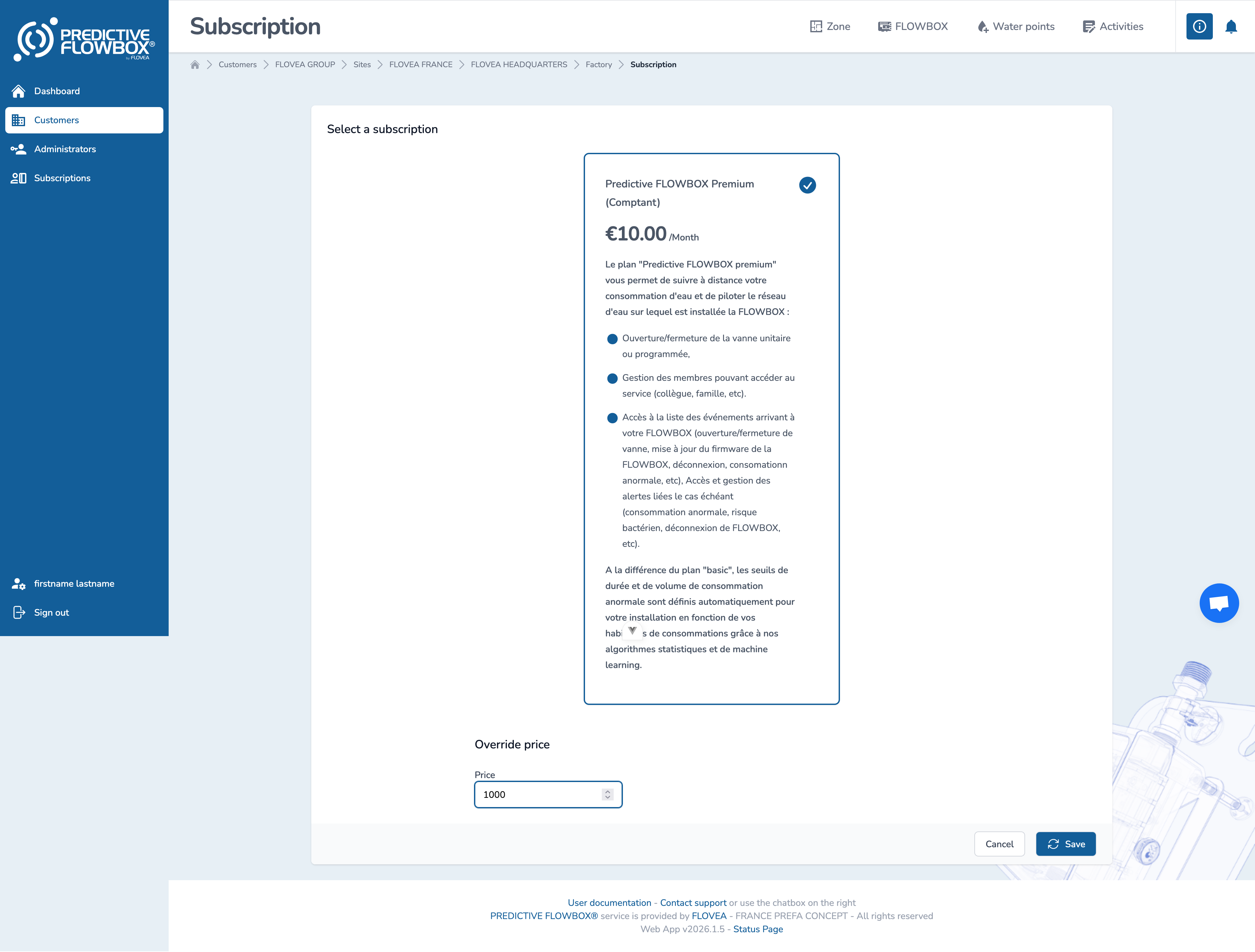
You can override the price of a Subscription of a Customer for a given Zone.
Either access the given zone from the subscription list (see above) or from a zone by clicking on the subscription link

You can change the price in the field below the description of the plan:
Once save, if you edit again, you will see the new price in action :
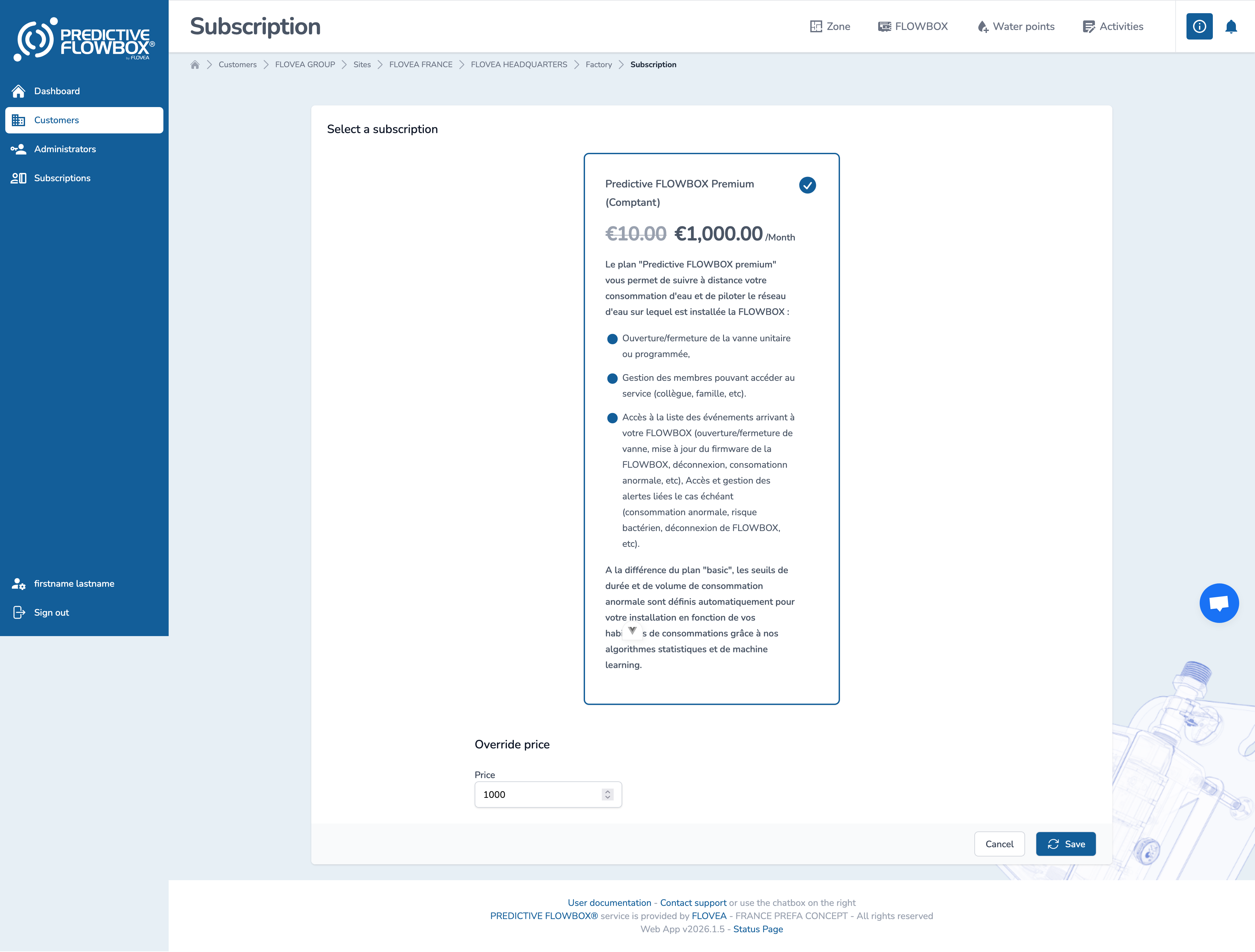
Your customer will only see the new price.
To remove the override, just set the price to same price as the intiial plan.
Renewal
When a Subscription is about to expire, a renewal process is triggered automatically.
INFO
Initial commitment is set to 2 years and then renewal is set for 1 year.
Invoices
After each end of a Subscription period, an invoice is technically generated.
Invoices are not visible in the WebApp yet.
Invoice payment is not managed nor implemented yet.