Customers and Customer Managers
Overview
Organisation
On Predictive Flowbox platform, organisation is as below:
Customer(s) > Site(s) > Building(s) > Zone(s) > FlowboxThat is to say :
- A Customer can have 1 to n Sites attached to
- A Site can have 1 to n Buildings attached to
- A Building can have 1 to n Flowboces attached to
- A Zone has 0 to 1 Flowbox attached to.
Or displayed differently:
|- Customer 1
    |- Site 1
        |- Building 1
            |- Zone 1
                |- Flowbox 1
            |- Zone 2
                |- Flowbox 2
            ...
        |- Building 2
            |- Zone 3
                |- Flowbox 3
            |- Zone 4
                |- Flowbox 4
            ...
        ...
    |- Site 2
    ...
|- Customer 2
    |- Site 3
        |- Building 3
            |- Zone 5
                |- Flowbox 5
            ...
        |- Building 4
            |- Zone 6
                |- Flowbox 6
            ...
        ...
    |- Site 4
    ...
...
Permissions
In terms of permissions :
- For each Customer, there is 1 to n Customer Managers attached to
- For each Site, there is 0 to n Site Managers attached to
- Each Customer is independant from each other : a Customer Manager can only access and manage what is in its own Customer. It can manage all Customer Managers, Sites, Buildings, Zones and Flowboxes of its own Customer
- Each Site is independant from each other : a Site Manager can only access and manage what is in its own Site. It can manage all Site Managers, Buildings, Zones and Flowboxes of its own Site
| Feature | Customer Manager | Site Manager |
|---|---|---|
| Manage Customer | Can only edit info for its own Customer | ❌ |
| Manage Customer Managers | ✅ | ❌ |
| Manage Sites | ✅ | Can only edit info for its own Site |
| Manage Site Managers | ✅ | Only related to attached Site |
| Manage Buildings | ✅ | Only related to attached Site |
| Manage Zones | ✅ | Only related to attached Site |
| Manage Flowboxes | ✅ | Only related to attached Site |
| Manage Subscriptions | ✅ | Only related to attached Site |
Customer Management
As an Administrator, you can manage Customers from the Customers menu in the left sidebar.
If you click on a Customer, you will access its content or you can Edit or Delete the Customer (and all its related content)
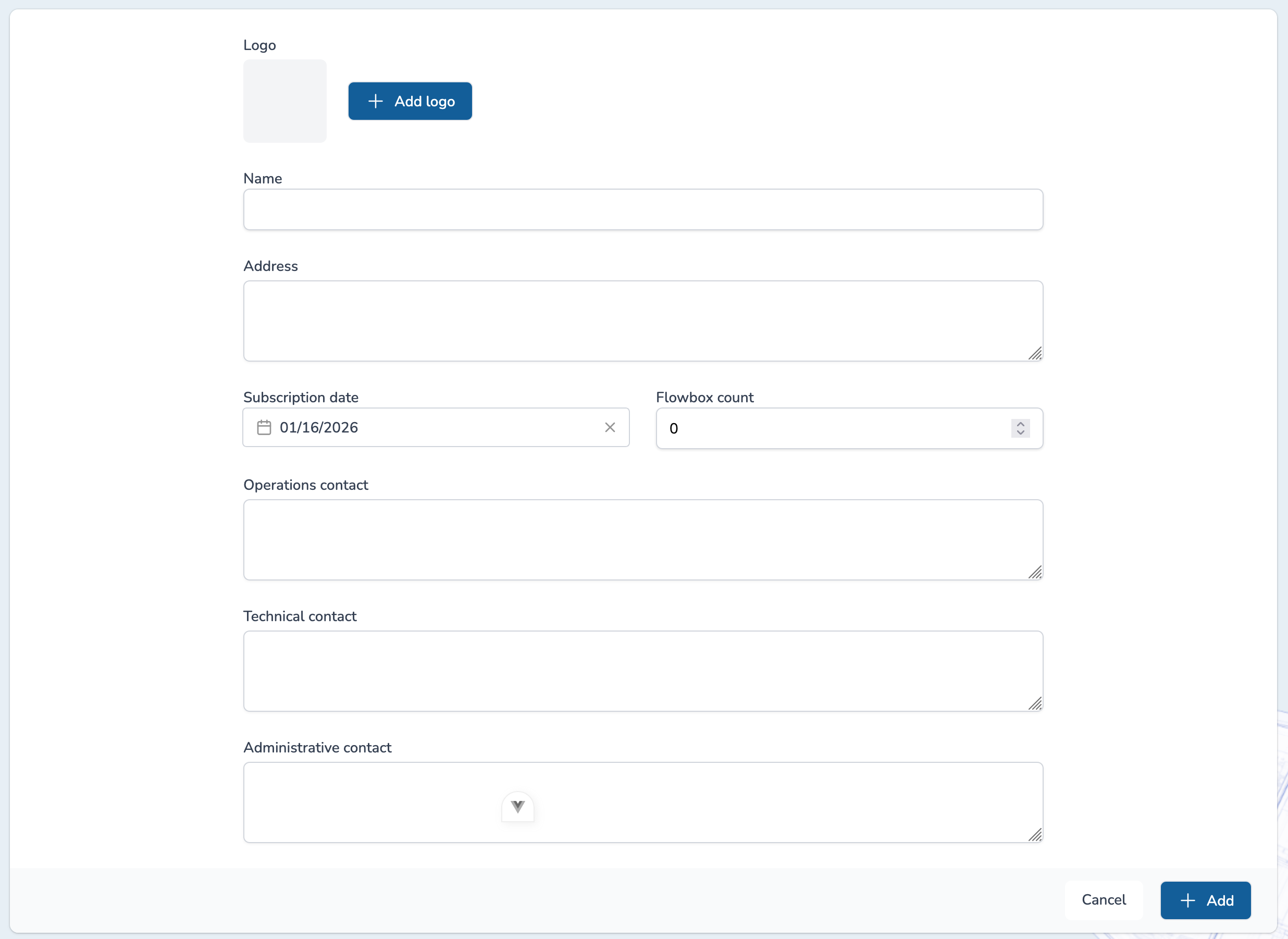
A Customer is defined as follows:
- Name
- Logo (option)
- Address
- Subscription date: date from which Customer can use the service
- Flowbox count: number of Flowbox the customer bought
- Operations contact (option): contact for management on a daily basis
- Technical contact (option): contact for technical points
- Administrative contact (option): contact for administrative topics (invoice, etc)
Customer Manager
Customer Managers are users with global permissions for a given Customer :
- Update its own Customer information
- Access and manage Sites, Buildings, Zones and Flowboxes
- Manage Users (Customer Managers, Site Managers)
- Manage Subscriptions
You can manage Customer Managers from the Customer Managers tab in the top right corner of the page.

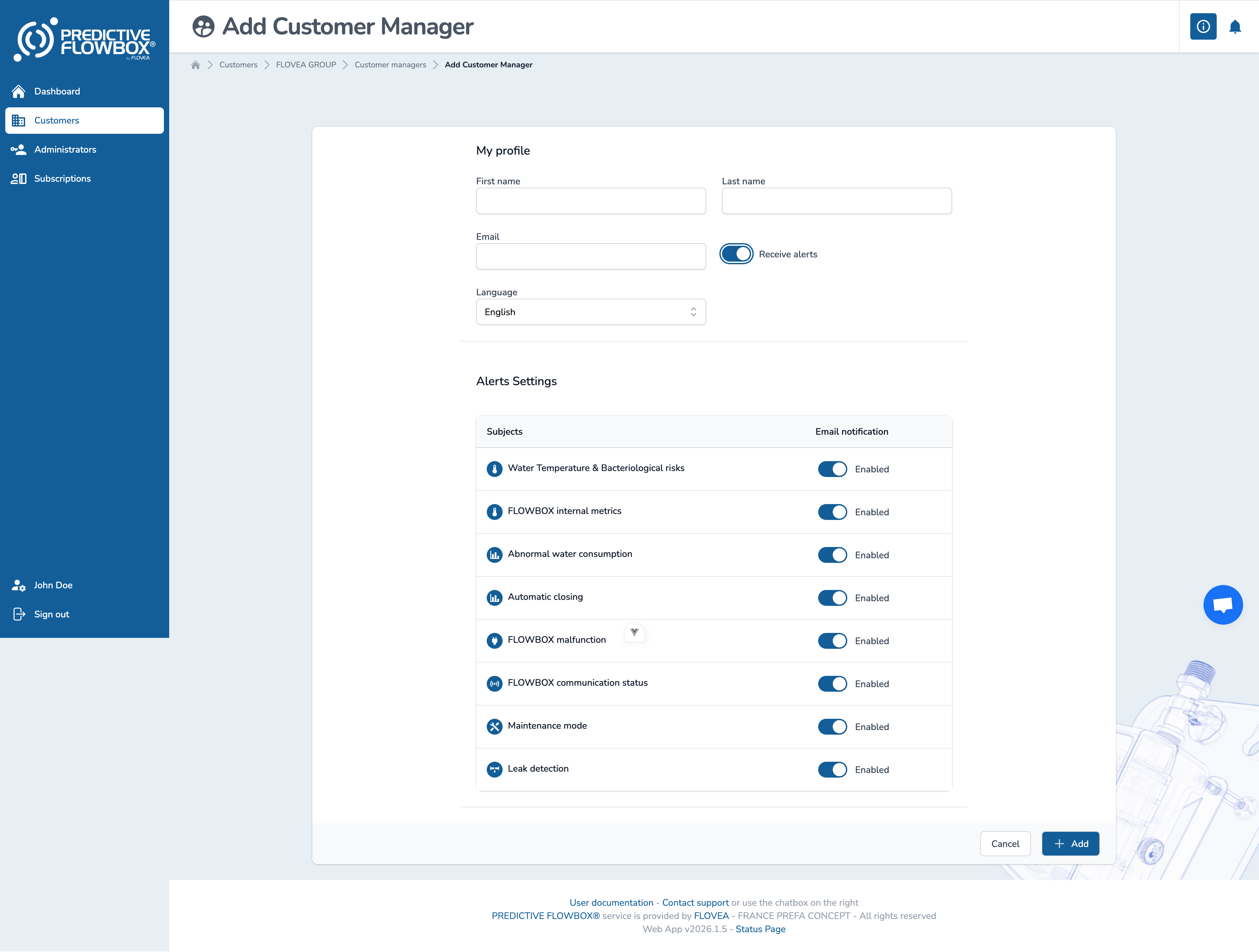
A Customer Manager account only requires :
- First name
- Last name
- Language: French or English
- Receive Alerts : yes/no - if yes, user can select the alerts he wants to receive.
TIP
Password will be chosen by the user, after clicking on welcome's email.