Water price updates
Overview
When it comes about price updates, it would be best that each period is computed with the price of the period. We can do this with Predictive Flowbox so that your water consumption is correctly computed over time.
When you setup your Flowbox, you entered the price of water at that period. When the price is updated, you can update it in the Flowbox app :
- Go the given Building or Zone (should be the building by default but if you have a custom contract for your Zone, then it is the Zone)
- Click on the "Edit" button
- Go to the "Water consumption" section
- Check the box "It's a new price offer. Current price offer will be archived."
- Update the price
- Update the date to match the starting date of the new price offer
- Click on "Save"
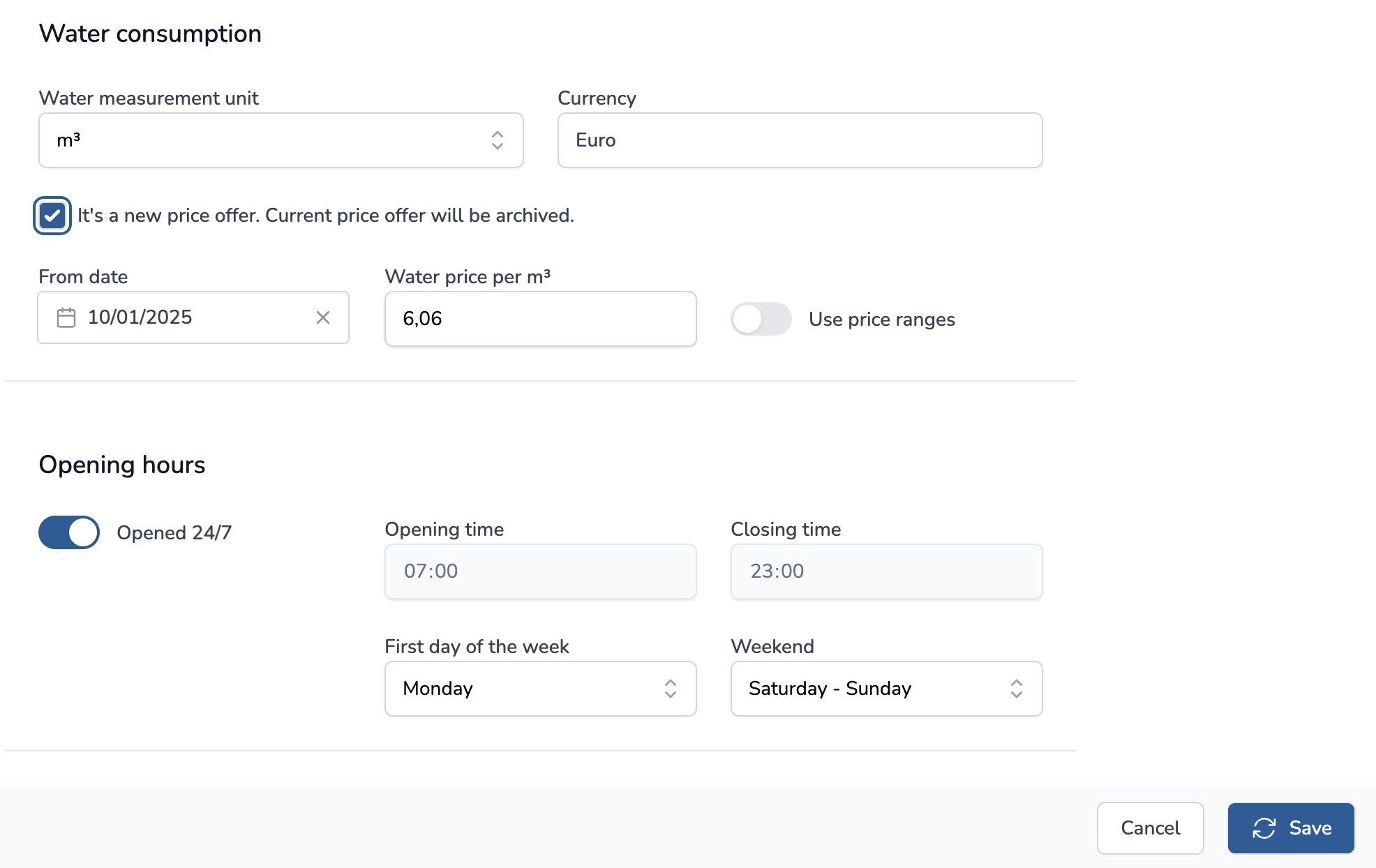
The new price will be taken into account when consumption is computed. If the date is in the past, the new price will be progressively updated from the given date. All computed consumption will be updated in the next 24 hours, given the frequency (hourly, daily, weekly, monthly, yearly).