Abnormal consumption
Overview
We consider abnormal consumption according to two dimensions: volume and duration.
As soon as one of these dimensions is above the defined threshold, the consumption is considered abnormal and an alert is raised. If the value goes back below the threshold, the alert is resolved.
Abnormal consumption are not necessarly a leakage. It may be just change in habits or a non usual events which occurs in a given Zone, such as you have more people in your building and as such, water consumption will increase (drinking water, toilets, etc.). So we globally speak about abnormal consumption, which may be "normal" due to circonstances or not and thus may be a leakage.
We also consider abnormal consumption at an hourly range. This is useful to detect consumption that is abnormal for a given hour, and not for the whole day. Doing hourly analysis also allows us to have differnt value according to differents periods in the day. You don't have the same water consumption in your office during night and day, nor during week and the week-end.
For basic plans, abnormal consumption threshold is a unique and static value you can set. It will be the same value applied to all hourly periods. You can set one value for volume and one for duration.
For premium plans, abnormal consumption threshold is computed dynamically by our algorithms, meaning that potentially each hour may have a different value both in volume and duration.
A minimal value may be computed by our algorithms to ensure that the threshold is not too low and that we don't have too many false positives.
For volume, the hourly value is the maximum consumption we allow over the last 2 hours. Doing such, if there is a swap of consumption between two hours, it should not lead to false positives.
To compute the first thresholds, we wait for a minimum of 14 days of data to be available. At this stage, we compute basic thresholds. After one month, we start to refine these thresholds based on the data we have collected.
Dynamic thresholds (premium plans)
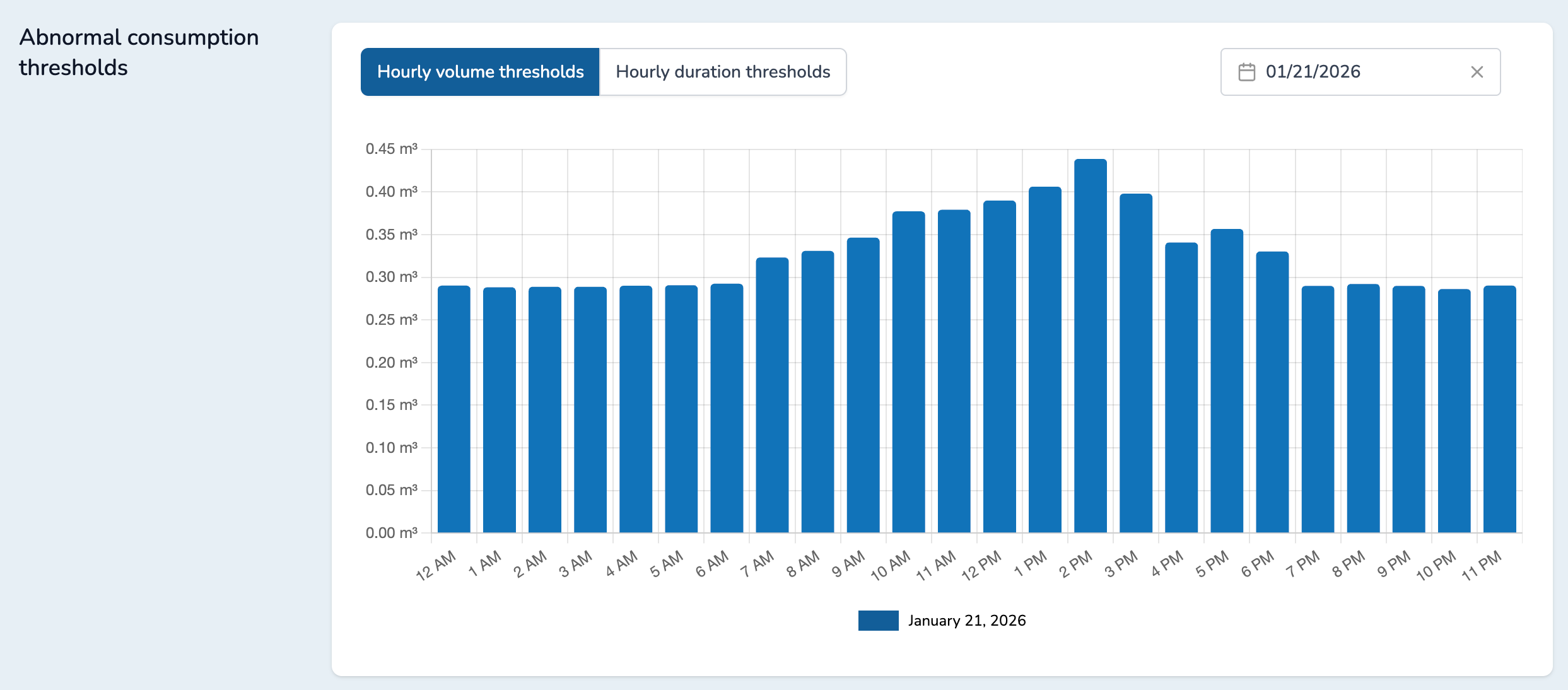
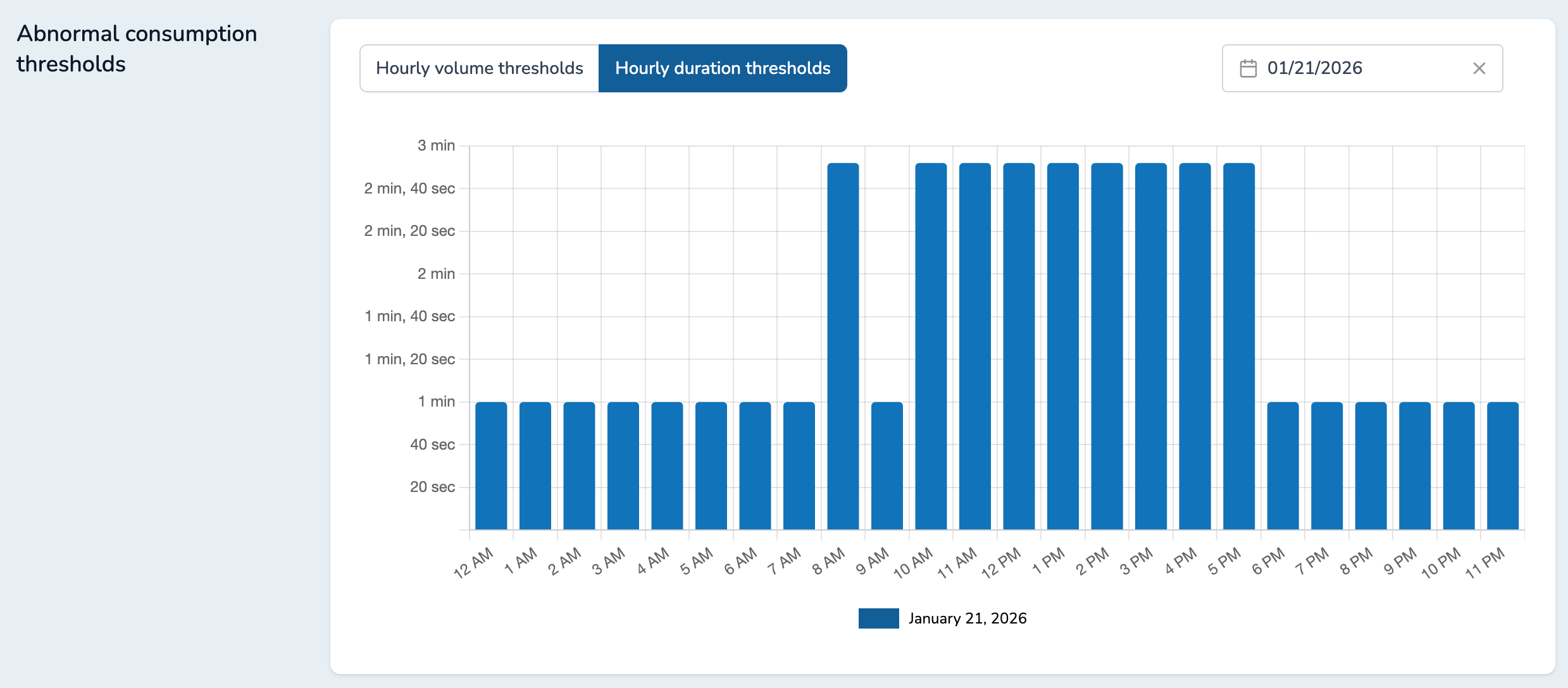
On a given Zone, the third graph will display the dynamic thresholds computed by our algorithms. It will show the threshold for volume and duration for each hour of the day.
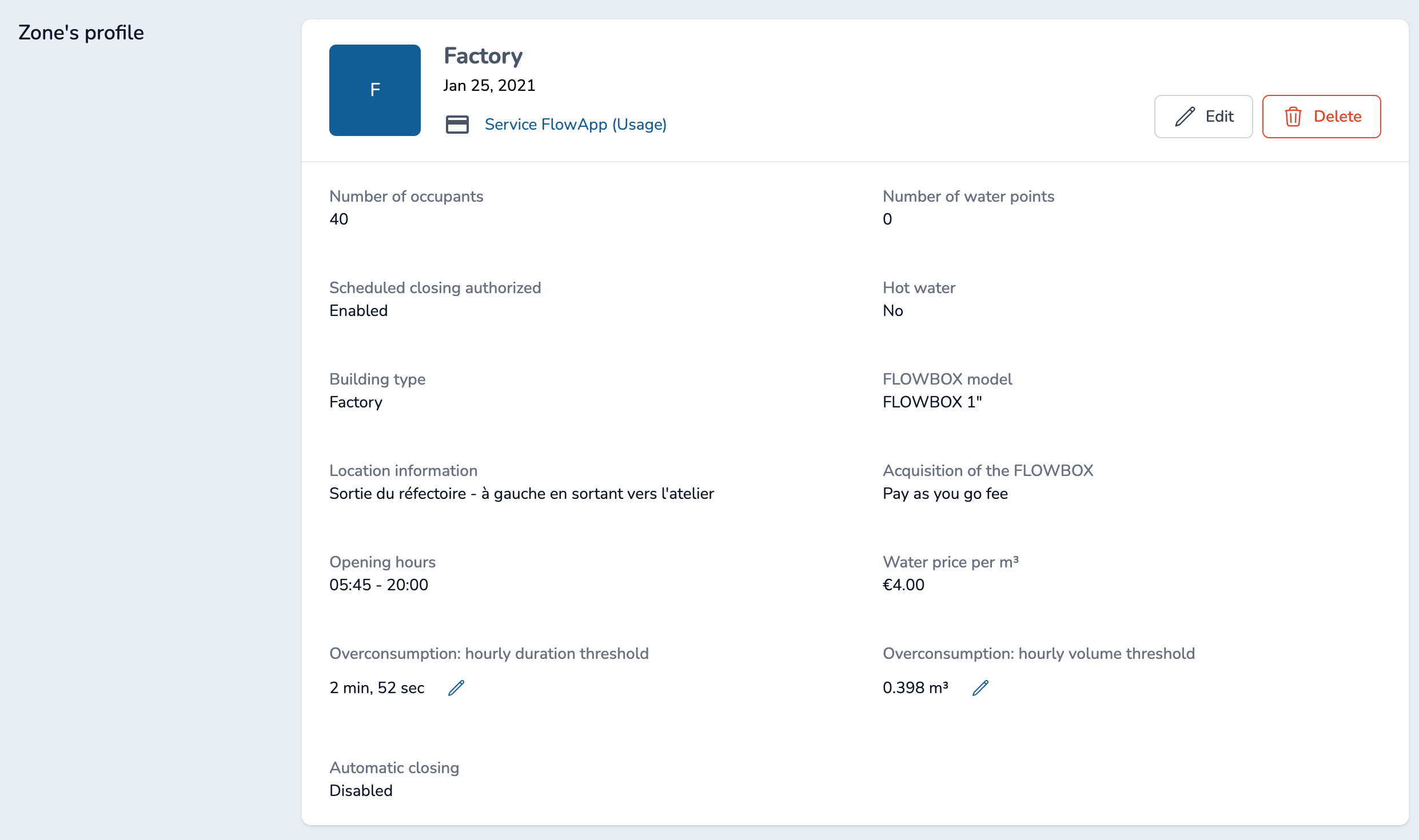
You can also see the current hour value for volume and duration in Zone's profile:
Static thresholds (basic and premium plans)
For basic and premium plans, you can set static thresholds for volume and duration in the Zone's profile. Click on the "Pen" icon to edit the given abnormal consumption threshold:
You can click on the field to adjust the value:
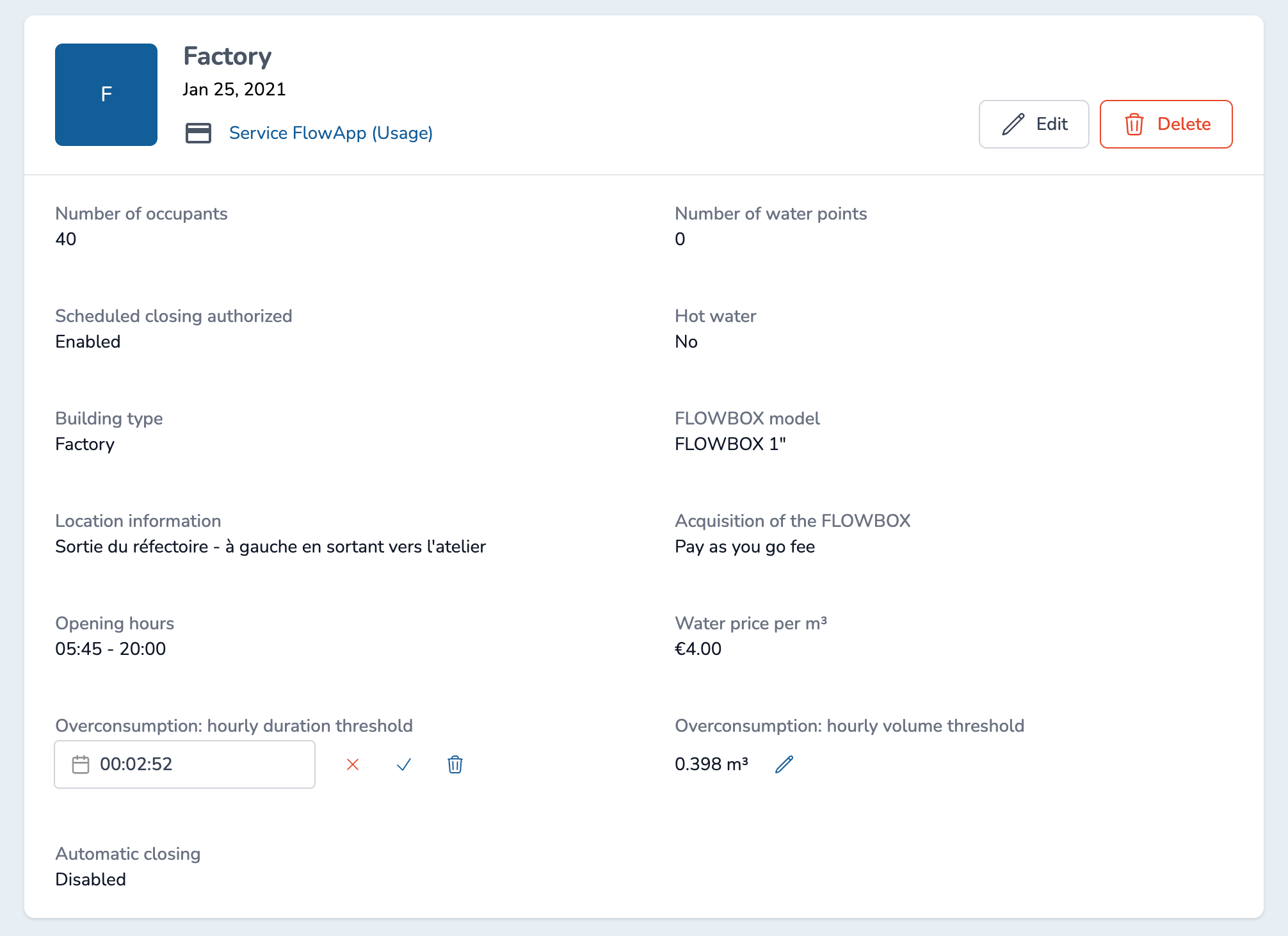
By clicking on the "x", you cancel your changes and go back to the previous value.
By clicking on the "check" icon, you save your changes.
By clicking on the "trash" icon, you reset the value to its default. For basic plans, it would mean to disable the feature. For premium plans, it would mean to use the dynamic threshold computed by our algorithms.